EN
EN
 RU
RU
 ES
ES
 ZH
ZH
 FR
FR
 DE
DE
 PT
PT
 AR
AR
 HI
HI


Advanced Error Handling in JavaScript: From try/catch to Global Interceptors
\n\nError handling is not just about "wrapping code in try/catch". In real production Node.js applications, proper exception management helps avoid server crashes, correctly log issues, and provide users with clear messages. In this article, we will cover advanced error handling techniques in JavaScript that go beyond basic syntax.
\n\n1. Deep Dive into try/catch and finally
\n\nThe classic try...catch...finally construct remains the foundation of synchronous handling. However, at an advanced level, it is important to understand the nuances of its operation.
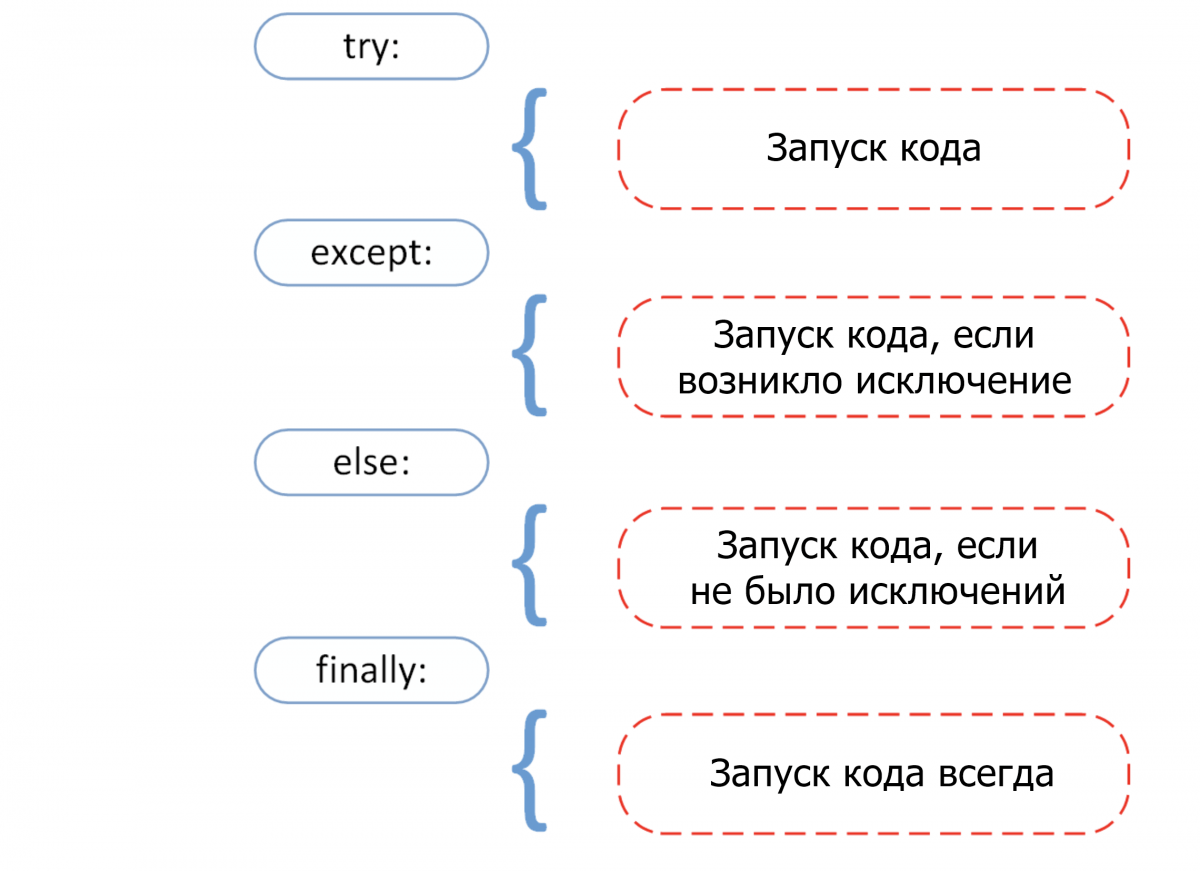
function riskyOperation(value) {\n if (typeof value !== 'number') {\n throw new TypeError('Argument must be a number');\n }\n if (value < 0) {\n throw new RangeError('Value cannot be negative');\n }\n return Math.sqrt(value);\n}\n\ntry {\n const result = riskyOperation(-4);\n console.log('Result:', result);\n} catch (error) {\n if (error instanceof TypeError) {\n console.error('Type Error:', error.message);\n } else if (error instanceof RangeError) {\n console.error('Range Error:', error.message);\n } else {\n console.error('Unknown error:', error);\n }\n} finally {\n console.log('Cleanup: always executed');\n}Key points:
\n- \n
- The
finallyblock always executes, even if there is areturnintryorcatch. \n - Use built-in error classes (
TypeError,RangeError,SyntaxError) for precise identification. \n - Do not catch errors you cannot handle — let them bubble up. \n
2. Custom Error Classes and Extending Error
\n\nFor large projects, standard error types are insufficient. Creating your own classes allows you to add metadata (HTTP status, error code, context) and simplifies filtering.
\n\nclass AppError extends Error {\n constructor(message, statusCode, code) {\n super(message);\n this.name = 'AppError';\n this.statusCode = statusCode;\n this.code = code;\n Error.captureStackTrace(this, this.constructor);\n }\n}\n\nclass ValidationError extends AppError {\n constructor(message, field) {\n super(message, 400, 'VALIDATION_ERROR');\n this.field = field;\n }\n}\n\nclass DatabaseError extends AppError {\n constructor(message, query) {\n super(message, 500, 'DB_ERROR');\n this.query = query;\n }\n}\n\n// Usage\ntry {\n throw new ValidationError('Email is required', 'email');\n} catch (error) {\n if (error instanceof ValidationError) {\n console.log(`Field: ${error.field}, Status: ${error.statusCode}`);\n }\n}Why this matters: custom errors allow centralized handling of different scenarios (e.g., in Express.js middleware) and returning structured JSON to the client.
\n\n3. Error Handling in Asynchronous Code: async/await and Promise
\n\nIn Node.js, most code is asynchronous. Errors in Promise and async/await require a special approach.
3.1. Promise Handling
\n\nfunction fetchUserData(userId) {\n return new Promise((resolve, reject) => {\n if (userId <= 0) {\n reject(new RangeError('Invalid user ID'));\n }\n // simulate DB request\n setTimeout(() => resolve({ id: userId, name: 'Alice' }), 100);\n });\n}\n\nfetchUserData(-1)\n .then(user => console.log(user))\n .catch(error => {\n console.error('Promise rejected:', error.message);\n })\n .finally(() => console.log('Cleanup after promise'));3.2. async/await Handling
\n\nasync function getUserProfile(userId) {\n try {\n const user = await fetchUserData(userId);\n const posts = await fetchUserPosts(user.id