


 FR
FR
 RU
RU
 EN
EN
 ES
ES
 ZH
ZH
 DE
DE
 PT
PT
 AR
AR
 HI
HI


Client OAuth pour TypeScript : implémentation de l'authentification sur un site éducatif
\n\nDans le développement web moderne, OAuth (Open Authorization) est devenu le standard de facto pour l'authentification des utilisateurs via des services tiers. Pour le site éducatif pythonlib.ru, nous avons préparé une description d'un client OAuth universel en TypeScript, qui permet de réaliser la connexion via GitHub, Google et d'autres fournisseurs populaires.
\n\nQu'est-ce qu'un client OAuth ?
\nUn client OAuth est un composant logiciel qui gère le processus d'obtention des autorisations de l'utilisateur pour accéder à ses données sur un service tiers. Dans le contexte de TypeScript, un tel client implémente généralement le protocole OAuth 2.0 et comprend :
\n- \n
- L'initialisation du processus d'autorisation \n
- Le traitement des requêtes callback \n
- L'échange du code d'autorisation contre un access token \n
- Le renouvellement des tokens (refresh token) \n
- La gestion de l'état de la session \n
Architecture du client OAuth en TypeScript
\nNotre client est construit sur les principes de modularité et de sécurité des types. Composants principaux :
\n\n1. Configuration du fournisseur
\ninterface OAuthProviderConfig {\n clientId: string;\n clientSecret: string;\n redirectUri: string;\n authorizationEndpoint: string;\n tokenEndpoint: string;\n scopes: string[];\n}\n\nconst githubConfig: OAuthProviderConfig = {\n clientId: process.env.GITHUB_CLIENT_ID!,\n clientSecret: process.env.GITHUB_CLIENT_SECRET!,\n redirectUri: 'https://pythonlib.ru/auth/callback/github',\n authorizationEndpoint: 'https://github.com/login/oauth/authorize',\n tokenEndpoint: 'https://github.com/login/oauth/access_token',\n scopes: ['read:user', 'user:email']\n};2. Génération de l'URL d'autorisation
\nfunction generateAuthUrl(config: OAuthProviderConfig, state: string): string {\n const params = new URLSearchParams({\n client_id: config.clientId,\n redirect_uri: config.redirectUri,\n scope: config.scopes.join(' '),\n state: state,\n response_type: 'code'\n });\n \n return `${config.authorizationEndpoint}?${params.toString()}`;\n}3. Échange du code contre un token
\nasync function exchangeCodeForToken(\n config: OAuthProviderConfig,\n code: string\n): Promise<OAuthTokenResponse> {\n const response = await fetch(config.tokenEndpoint, {\n method: 'POST',\n headers: {\n 'Content-Type': 'application/json',\n 'Accept': 'application/json'\n },\n body: JSON.stringify({\n client_id: config.clientId,\n client_secret: config.clientSecret,\n code: code,\n redirect_uri: config.redirectUri\n })\n });\n\n if (!response.ok) {\n throw new Error(`Token exchange failed: ${response.statusText}`);\n }\n\n return response.json();\n}Gestion des tokens
\nAprès l'obtention des tokens, il est nécessaire d'assurer leur stockage sécurisé et leur renouvellement. Il est recommandé d'utiliser des cookies httpOnly ou un stockage de session côté serveur.
\n\nRenouvellement de l'access token
\nasync function refreshAccessToken(\n config: OAuthProviderConfig,\n refreshToken: string\n): Promise<OAuthTokenResponse> {\n const response = await fetch(config.tokenEndpoint, {\n method: 'POST',\n headers: {\n 'Content-Type': 'application/json'\n },\n body: JSON.stringify({\n client_id: config.clientId,\n client_secret: config.clientSecret,\n refresh_token: refreshToken,\n grant_type: 'refresh_token'\n })\n });\n\n return response.json();\n}Exemple complet d'implémentation pour GitHub OAuth
\nimport { randomBytes } from 'crypto';\n\nclass GitHubOAuthClient {\n private config: OAuthProviderConfig;\n private stateStore: Map<string, string> = new Map();\n\n constructor() {\n this.config = {\n clientId: process.env.GITHUB_CLIENT_ID!,\n clientSecret: process.env.GITHUB_CLIENT_SECRET!,\n redirec Aussi dans la bibliothèque
 Travailler avec YAML en JavaScript (Node.js) : parsing, génération et validation
 Netty pour Java : guide complet avec exemples
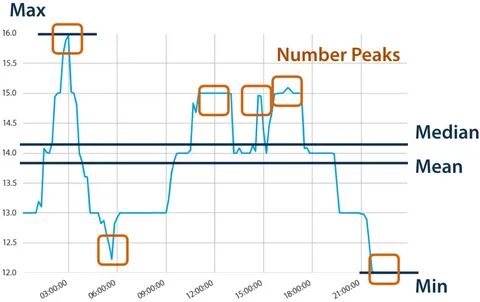 TSFresh : extraction de caractéristiques de séries temporelles
 Géolocalisation et cartes en Kotlin : aperçu des bibliothèques et outils
 Travailler avec S3 et les stockages cloud en C++ : la bibliothèque aws-sdk-cpp



